This is one of my favourite application on my phone, the name is Daily Budget and as what I mentioned in my upcoming article (will link it once its up), it is a no-frill stand-alone app that does not do anything else except tracking expenses manually.
I know there are some people that like or even swore by YNAB (You Need A Budget) especially in the US Market or Pocketbook or the inbuilt Commonwealth bank tracking. However, in my opinion, I find those apps to be at times difficult to use and I am not that comfortable linking my bank accounts to them. I much prefer to manually track it and this forced me to have a good habit to track my expenses be it via cash or card.
This app allows me to create a daily budget, it mainly is broken down to 3 types, regular income, recurring expenses and saving. With those 3 categories, it allows you to break it down into a more granular section.
For example in recurring expenses, you might have things such as rent, insurance, Netflix, internet and etc- essentially your bills that reoccur either every day, week or month. The nice thing is that when you enter it, the app will calculate instantly the daily outflow of your money, showing you the minimum amount of money that you need to have at the bare minimum every day to sustain the lifestyle that you currently have.
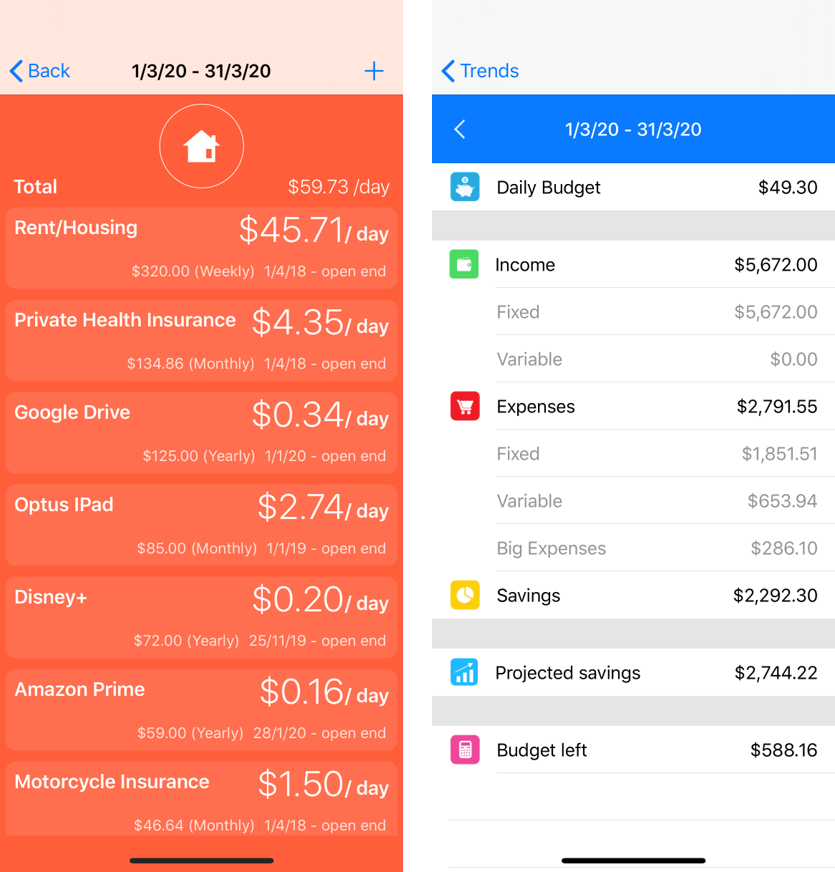
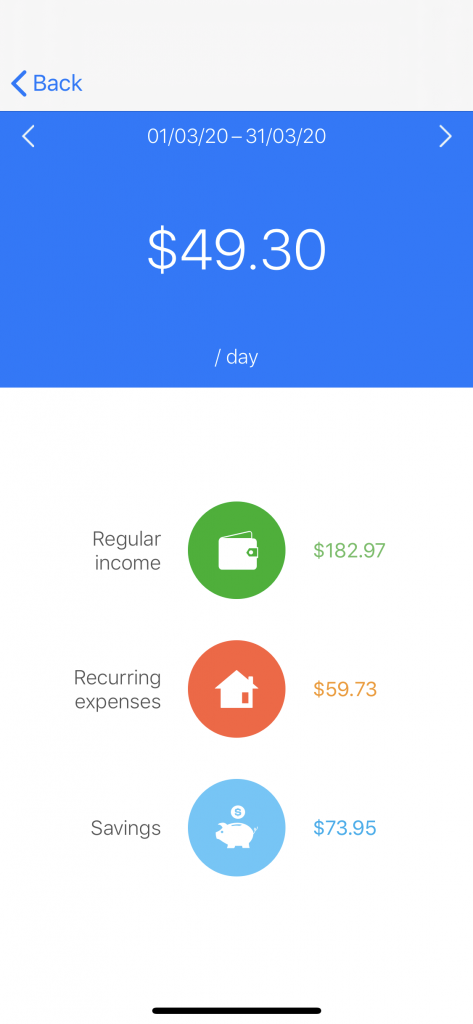
The saving in this part allows you to determine how much you want to save after your income and of course, the regular income denotes how much money is coming in on either weekly, fortnight or monthly basis depending on what you set up. By knowing all these 3 categories, once you have input those values (picture as eg), you will know how much you are left with for the day. So what that means is that is how much money you can spend every day without feeling guilty – I suppose since you already know how much you are saving!
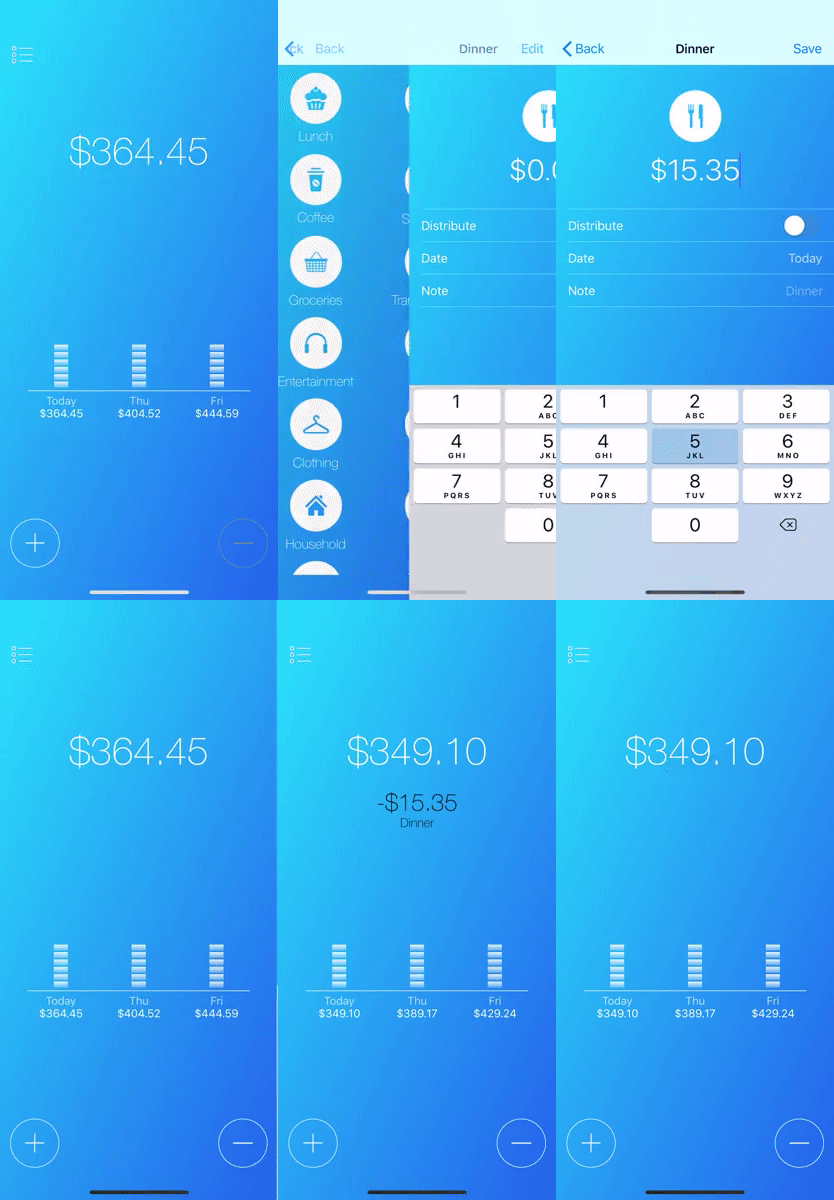
Now, a coming on to the main page of the app, it will just show you one big number and 2 buttons, a plus and a minus. Every time you buy something, you just have to click the minus and input how much it cost. For examples, coffee $3.50 and the number on the screen will decrease accordingly. If you happen to earn some income, you can click the icon the plus number and it will increase the number on the main screen.
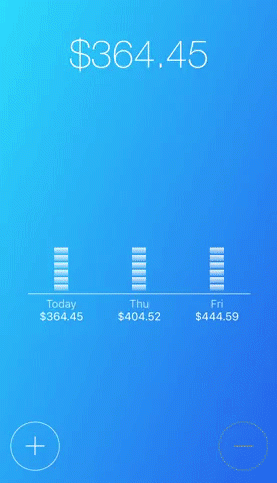
That number depends on when you start your cycle and will get accumulated throughout your cycle period which means that if you do not spend, it will accumulate to the next day and so on.
If at the end of the month you have leftover, that simply means that you have more savings than you anticipated and if you are in orange, it shows that you are not hitting your saving goals and I would suggest reviewing the expenses you have throughout the month.
The other thing I like about this app is the ability to put big expenses and put it throughout the month, I like to put it, for example, purchasing a bag, clothing- because I like to see the spending to be spread evenly instead of one big blow, just for the fun of it.
Analytics Feature
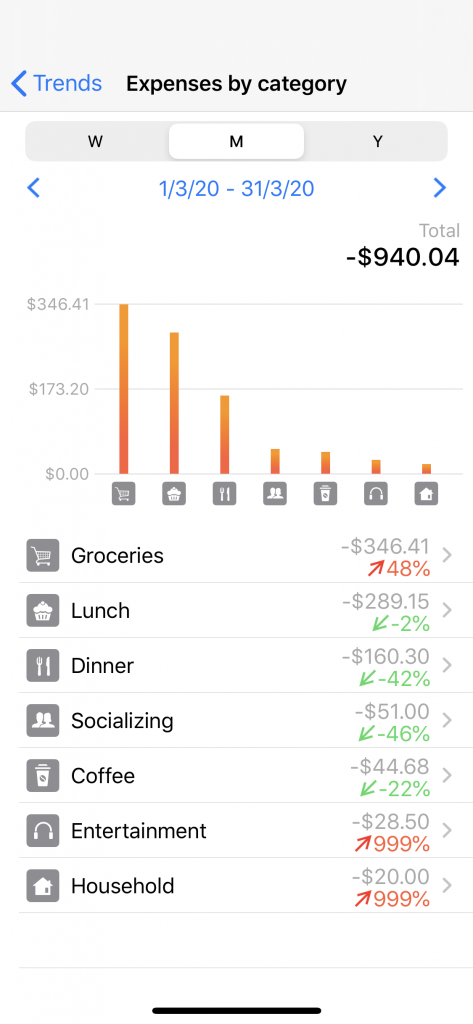
This app also has an analysis feature that shows you as a whole, how much you spend on lunch, dinner, entertainment on a weekly, monthly and yearly basis. So that you will be able to know how much you exactly spend and this comes back to me saying in regards to knowing your overview is important so that you know where you need to cut down your expense, which you can improve at, which area you are doing well at. That is the reason why having an app or system that track your expenses is very crucial to meet your financial goal!!